

Presto

Modern, responsive web-based GUI for IBM i green screens instantly

Quickly create a web GUI for any existing or new IBM i (iSeries / AS400) green screens with Presto, which can be accessed on any device.
Presto-Featured-Image
Presto-Fresche-Logo

Give your IBM i a makeover

Transform your green screens into modern, browser-based interfaces without rewriting a single line of RPG or COBOL.
*Subscription starts from £3,000 per partition, including up to 25 users, and billed on an annual subscription basis. Geographical restrictions apply.
Modernise IBM i green screens

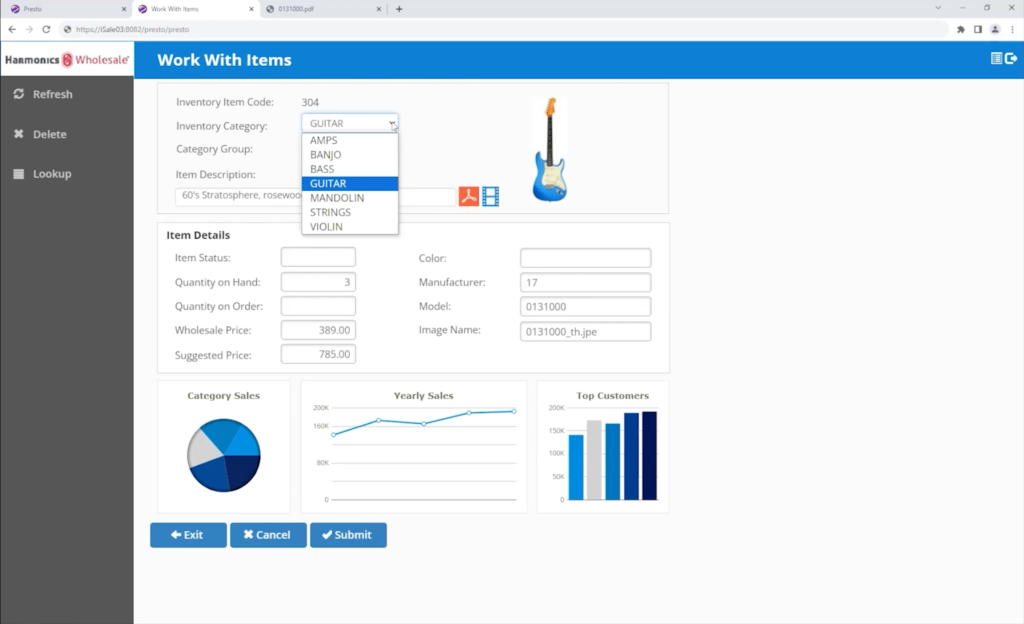
Web-based UI for your IBM i, straight out of the box

Convert existing (and new) green screens to modern, web-based GUIs instantly without having to touch the underlying code, whether it be RPG or COBOL.

Presto interface showing modernised IBM i Green screen
Software-Presto-No-Web-Development-Experience
No web development experience needed

Deliver a fresh look & feel without the need for coding

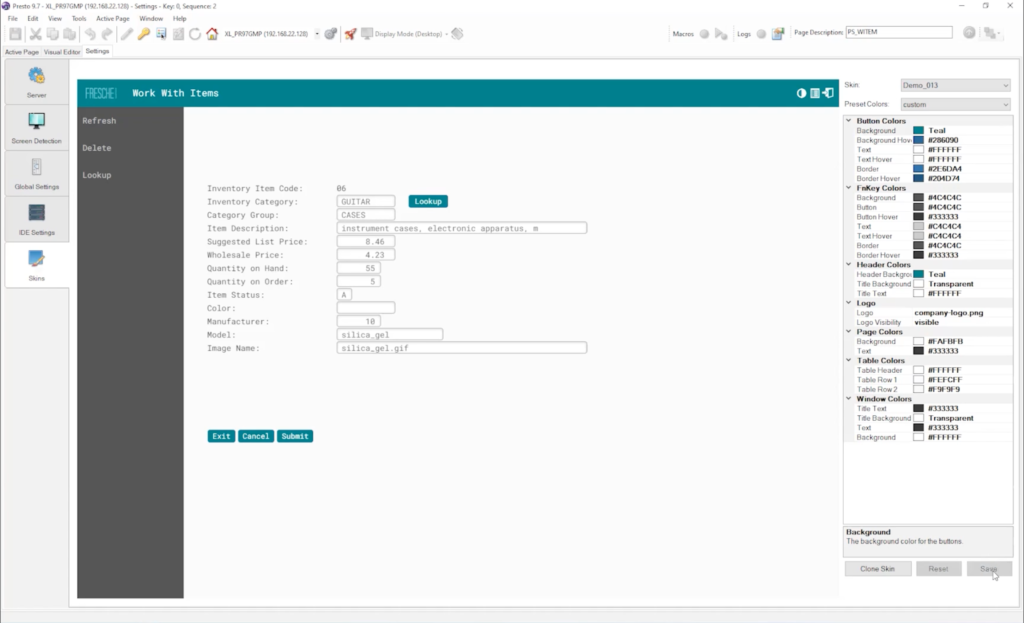
Visual editors, out of the box features & extension options means anyone can breathe new life into IBM i green screens without needing web development experience. Images, buttons, tabs, links and many more functions can be added seamlessly.

Make applications relevant & modern

Future proof your IBM i applications today

Keep your IBM i applications relevant by giving your users the interfaces and functions they are used to, whilst ensuring you have the ability to respond quickly to new business functional demands, connect your green screens to other applications, and take full advantage of future technologies such as AI.

Software-Presto-Make-Applications-Relevant-and-Modern

Request a demo of Presto

Give your IBM i a makeover

Transform your green screens into modern, browser-based interfaces without rewriting a single line of RPG or COBOL.
Subscription starts from £3,000 per partition, including up to 25 users, and billed on an annual subscription basis. Geographical restrictions apply.

Presto Features

What you get with Presto

Modernise IBM i (iSeries / AS400) green screens rapidly with Presto.
Rapid-Web-Based-UI-Icon

Rapid web-based UI

Auto-convert green screen elements such as menu screens and function keys to a web-based UI instantly.

Simple-Visual-Editor-Icon

Simple visual editor

Change the look and feel of green screens without the need for experienced web developers.

Deploy-Across-the-Enterprise-Icon

Deploy across the enterprise

Install Presto on an IBM i server to enable access to green screens as web UI for everyone.

Modern-Navigation-Icon

Modern navigation

Add the UI elements that your users expect like dropdowns, buttons, links and tabs.

Javascript-Extensions-Icon

JavaScript extensions

Customise your green screens even further by adding JavaScript events to hide and display elements.

Apply-Global-Settings-Icon

Apply global settings

Define and apply the same settings to every green screen modernised with Presto.

SQL-Queries-DB2-Database-Icon

SQL & Db2 capable

SQL queries can be created and used to integrate Db2 data into your green screens.

Integrate-Using-API-Icon

Integrate using API

Connect to other applications using APIs to add payments and tracking to your green screens.

Single-Sign-On-MFA-Icon

Single Sign-on & 2FA

Ensure cyber security by providing single sign-on via Kerberos and two-factor authentication.

Spool-Files-and-Macros-Icon

Spool Files & Macros

Make your user’s experience even richer with access to spool files and automated actions via macros.

Improvement-Insights-Icon

Improvement insights

Presto’s visual insights tool lets you see how users interact with screens so you can make data-driven improvements.

Mobile-Ready-Icon

Mobile ready

Responsive skins, mobile specific customisation options and mobile keyboards for function keys deliver mobile-ready screens.

Presto Demonstration

Giving your IBM i green screens a modern GUI

Watch a recorded demonstration of Presto from Greg Patterson, Executive Consultant at Fresche Solutions. See how quick and easy it is to modernise your IBM i green screens with a new UI.

Frequently Asked Questions